
Avigilon Alta Access, integrated by SCW
Commercial Access Control That Works With Your Entire Security Environment
SCW designs, integrates, and installs Avigilon Alta Access (formerly Openpath) access control systems that connect doors, users, credentials, video security, visitor workflows, and operational platforms.
Whether you are replacing an outdated system, expanding an existing facility, or planning new construction, we help build a complete solution around your organization.
Plan My Access Control System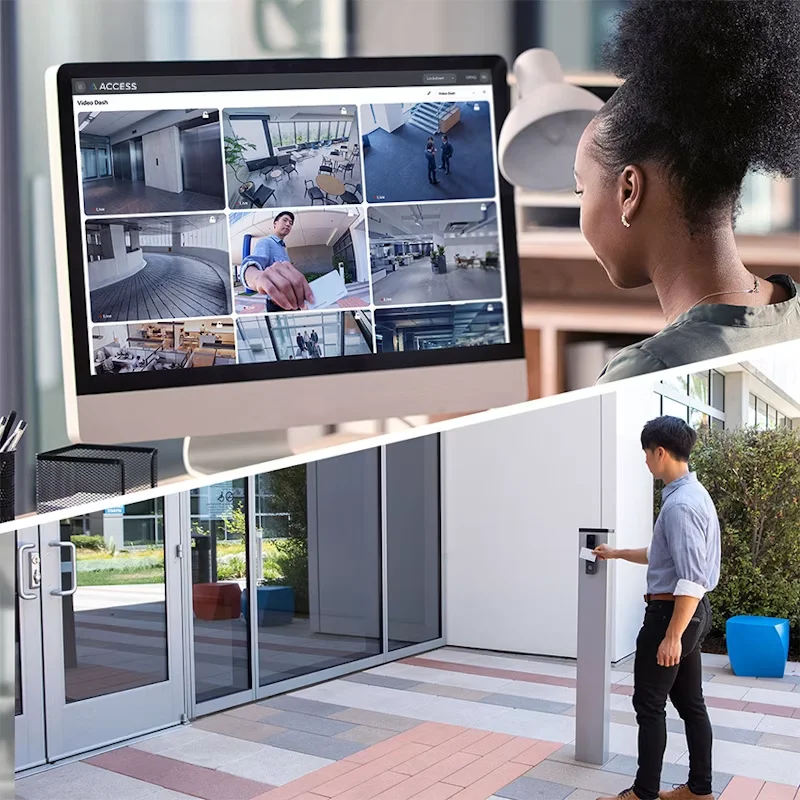
Avigilon Alta Solutions
Commercial System Design
National Installation Capabilities
U.S.-Based Support
What Is a Commercial Access Control System?
A commercial access control system manages who can enter a building or restricted area, which entrances they can use, and when access is permitted.
Instead of relying only on physical keys, organizations can issue mobile credentials, cards, fobs, or PINs; assign access by role and schedule; revoke permissions when responsibilities change; and maintain a searchable record of entry activity.
A complete system commonly includes:
Access control software
Door readers or keypads
Controllers and control panels
Mobile or physical credentials
Electrified locking hardware
Door-position and request-to-exit devices
Power supplies and backup power
Network connectivity
Professional design and installation
Access Control 101
How Business Access Control Systems Work
This video explains the basic components of a commercial access control system, including readers, credentials, controllers, software, and electronic locking hardware.
It also explains how access control helps businesses manage entry permissions, control when users can enter, and maintain records of door activity.
A Security Platform Built for Modern Operations
Manage Users and Entrances Together
Control users, credentials, schedules, doors, gates, and locations through a centralized administrative environment.
Access Security From Anywhere
Authorized administrators can manage permissions and review activity without being tied to a dedicated on-site workstation.
Connect Access and Video
Associate entry activity with live or recorded video to add visual context to access events and investigations.
Integrate Operational Tools
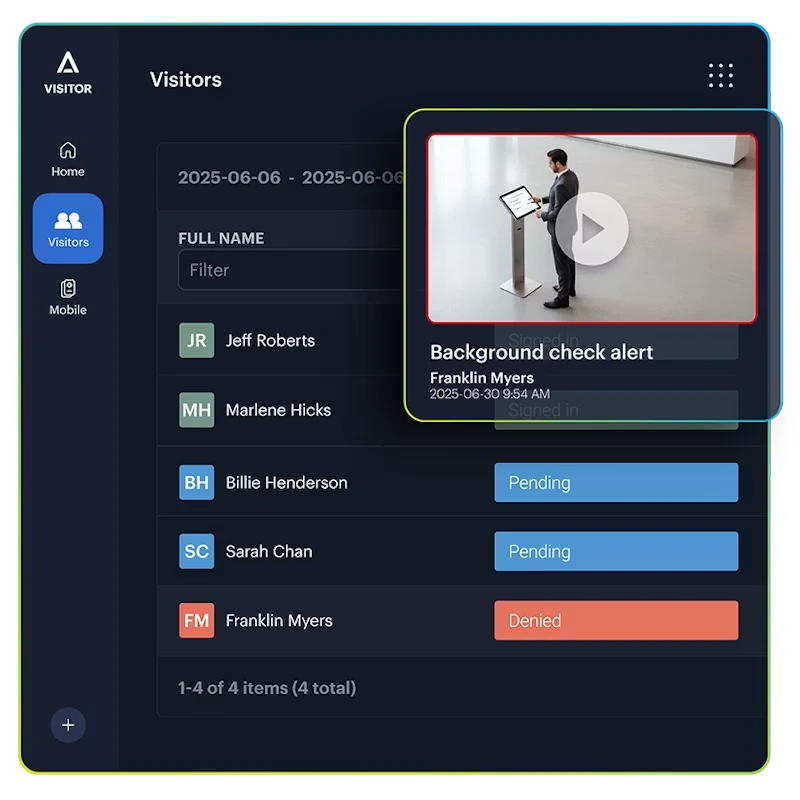
Connect access control with supported identity, visitor, credential, and business systems.
Access control camera systems
An Access Log Shows That a Door Opened. Video Helps Show What Happened.
Door records alone may not provide enough context to understand an incident.
Access control camera systems connect door activity with live or recorded video, helping security teams understand the complete event rather than relying only on a credential record.
When access control and video are designed as one connected environment, teams can review who presented a credential, what happened at the opening, and what occurred before and after the event.
Connected access and video can support investigations involving:
Unauthorized access attempts
Forced or held-open doors
After-hours activity
Tailgating concerns
Restricted-area incidents
Employee or contractor activity
Vehicle gates and perimeters
Safety-related access events
Connected security
Add visual context to access events and investigations
Replacing an existing access control system?
Modernize Without Replacing More Than Necessary
Legacy access control systems can become difficult to support, expensive to maintain, and disconnected from newer security and identity platforms.
Current system
Your existing panels, readers, credentials, cabling, and door hardware as they operate today.
SCW assessment
We document what is installed, what is supportable, and what creates risk or cost.
Avigilon Alta migration
A phased plan that keeps usable infrastructure and replaces what should not stay.
SCW begins with an assessment of your existing environment, including:
Controllers and panels
Readers and credentials
Doors, gates, locks, and egress hardware
Existing cabling and power
Security cameras and recording platforms
Users, roles, schedules, and permissions
Identity and visitor integrations
Network and cybersecurity requirements
We then recommend what can remain, what should be replaced, and how the transition should be phased.
System modernization
Create a practical migration plan for your facility
Planning a new building or renovation?
Design Access Control and Video Into the Project From the Beginning
Access control works best when door hardware, cameras, networking, cabling, fire-alarm interfaces, credentials, and operational requirements are coordinated before installation begins.
SCW can collaborate with:
Owners and facility leaders
IT and security departments
Architects and engineers
General contractors
Door and hardware contractors
Electrical and low-voltage teams
Property and construction managers
Our team can help coordinate access control, video security, structured cabling, network requirements, door hardware, system integrations, installation, testing, and commissioning.
New construction
Coordinate security early to reduce project gaps and rework
Avigilon technology. Integrated by SCW.
We Make Your Integrations Work
Access control is not an isolated door product. It must work with the people, systems, infrastructure, and processes your organization already uses.
Depending on the selected products, licensing, and project requirements, SCW can help evaluate integrations involving:
Integration planning
Connect Avigilon with the systems your organization already uses
Built for Commercial Security Environments
SCW designs access control systems for organizations managing multiple users, restricted areas, controlled entrances, or multiple facilities.
Corporate offices
Manufacturing facilities
Warehouses and distribution centers
Government facilities
Schools and educational organizations
Healthcare and nonprofit facilities
Multi-tenant properties
Retail and automotive locations
New construction projects
Multi-location organizations
Backed by SCW From Planning Through Support
Assess
We review your facility, entrances, users, existing equipment, cameras, infrastructure, and operational requirements.
Design
SCW develops a coordinated access control, video, integration, cabling, and deployment plan.
Install and Configure
Our team installs equipment, configures the system, coordinates approved integrations, and tests the completed environment.
Train and Support
We help onboard administrators and provide U.S.-based technical support after deployment.
Access Control 101
A Practical Guide to Business Access Control Systems
Access control is a significantly more flexible way to secure commercial doors, gates, and restricted areas than relying only on traditional keys.
Use this guide to understand how commercial access control works, what components are required, how it connects with security cameras, and what businesses should consider when planning a system.
What is a commercial access control system?
A commercial access control system works with electronic locks to determine who can enter a building or restricted area and when that access is permitted.
When a person presents an approved mobile credential, card, fob, or PIN, the system evaluates that user's permissions. If the person is authorized to use that entry at that time, the system releases the lock.
The system also creates an activity record showing which credential was presented, at which entry, and when the event occurred.
What components does a business access control system require?
A complete business access control system includes hardware, software, credentials, electronic locking devices, power, and network connectivity.
Access control hardware may include:
- Credential readers
- Keypads
- Door controllers
- Electronic locks
- Door-position sensors
- Request-to-exit devices
- Power supplies and backup power
- Network equipment
Access control software allows administrators to add and remove users, issue credentials, assign permissions, create schedules, review events, and manage locations.
Credentials may include mobile credentials, cards, fobs, PINs, or temporary visitor credentials.
How does access control improve on traditional keys?
Traditional keys provide access whenever someone possesses the key. They cannot automatically restrict access by time, identify who used the door, or create a searchable record of entry activity.
Keys can also be lost, stolen, or duplicated. When a key is not returned, the organization may need to rekey one or more doors and distribute replacements.
With access control, an administrator can deactivate a lost credential or remove a former employee's access without replacing the lock. Permissions can also be limited according to the person, role, location, door, or time of day.
What are the primary benefits of an access control security system?
Common benefits include:
- Adding or removing access without rekeying doors
- Limiting access according to role, location, or schedule
- Maintaining records of who accessed a door and when
- Managing multiple entrances through one system
- Automatically securing doors according to defined schedules
- Reducing dependence on physical keys
- Supporting employee onboarding and offboarding
- Connecting access events with security camera footage
- Managing multiple facilities more consistently
- Integrating access with identity and visitor platforms
The value generally increases as an organization adds more employees, contractors, departments, entrances, restricted areas, and locations.
Can access permissions be based on job role?
Yes. Access permissions can be assigned according to a person's role, department, schedule, location, or responsibilities.
For example:
- Office employees may access common areas but not production spaces.
- Warehouse personnel may access loading areas during assigned shifts.
- IT staff may access server and network rooms.
- Managers may receive approved after-hours access.
- Contractors may receive temporary access to specific entrances.
- Visitors may receive access only to approved areas.
This allows businesses to avoid giving every user the same level of access.
Can access control limit when employees enter?
Yes. Administrators can create schedules that determine when a user or group is permitted to use a particular entrance.
A credential may be configured to work:
- During an assigned shift
- On specific days
- During standard business hours
- At one facility but not another
- For a temporary project
- Until a defined expiration date
- During approved after-hours periods
What happens when an employee leaves or loses a credential?
An administrator can revoke the credential through the access control software.
Once deactivated, that mobile credential, card, fob, or PIN will no longer provide access according to its former permissions.
This eliminates the need to rekey every affected door simply because an employee leaves or one credential is lost.
What is cloud-based access control?
Cloud-based access control allows authorized administrators to manage users, credentials, doors, schedules, locations, events, and permissions through an internet-connected platform.
Cloud-based access control can support:
- Remote administration
- Centralized multi-site management
- User and credential management
- Real-time alerts and event visibility
- Automatic software updates
- Granular administrator permissions
- Mobile system access
- Identity-platform integrations
- Visitor-management workflows
- Occupancy and activity reporting
Physical readers, controllers, electronic locks, sensors, and other door hardware remain installed at the facility.
Can access control work with identity and employee-management systems?
Yes. Supported integrations can connect physical access with existing identity and employee-management workflows.
Depending on the integration, organizations may be able to:
- Synchronize employee records
- Map groups to access permissions
- Support onboarding and offboarding
- Use single sign-on
- Reduce duplicate data entry
- Automatically update access when roles change
SCW can help connect Avigilon Alta with platforms including Microsoft Entra ID, Google Workspace, Okta, OneLogin, and Workday.
What is an access control camera system?
An access control camera system connects door or credential events with corresponding security video.
When someone presents a credential, the integrated system can help determine:
- Who was physically at the door
- Whether the credential was used by the assigned person
- Whether someone followed the user inside
- What happened immediately before or after entry
- Whether a door was forced or held open
- Whether the event requires further investigation
Connecting access control with cameras gives security teams more context than relying only on an access log.
Can access control support gates, elevators, and turnstiles?
Yes. Commercial access control systems can be designed for:
- Vehicle gates
- Parking garages
- Elevators
- Turnstiles
- Loading areas
- Server rooms
- Equipment rooms
- Restricted storage areas
- Tenant spaces
- Production areas
- High-security entrances
The required hardware, control logic, integrations, and safety considerations vary by application.
Can SCW reuse existing access control equipment?
Potentially.
SCW can evaluate existing:
- Readers
- Controllers and panels
- Electronic locking hardware
- Door sensors
- Request-to-exit devices
- Power supplies
- Credentials
- Cabling
- Network infrastructure
- Security cameras
Whether a component should remain depends on its compatibility, condition, support status, security, and ability to provide the required functionality.
The goal is to modernize the system without replacing more than necessary.
Is access control only useful for large businesses?
No. Organizations of different sizes can benefit from access control, particularly when they manage employees, contractors, restricted areas, or multiple entrances.
The business case becomes stronger when an organization has:
- Frequent employee turnover
- Multiple departments or user groups
- Several controlled entrances
- Valuable inventory or equipment
- Sensitive records or data
- Multiple shifts
- Contractor access
- Visitor-management requirements
- More than one location
- Compliance or auditing responsibilities
Does commercial access control require professional installation?
Commercial access control should be designed and installed around the requirements of each door, gate, elevator, or controlled opening.
Those requirements may include:
- Door and frame construction
- Lock type
- Emergency egress
- Fire-alarm behavior
- Accessibility
- Available power
- Network connectivity
- Request-to-exit operation
- Door-position monitoring
- Local electrical and building requirements
Professional commercial access control installation helps reduce compatibility, safety, inspection, and long-term support problems.
Security technology for smarter operations
Bring Access Control, Video, and Operations Together
Modernize an outdated system, secure a new facility, or create a consistent access control environment across multiple locations.