
No Problem
Whether you plan to DIY install or want us to do it for you, we're as flexible as you need.
Get a Custom Quote for Equipment or Installation
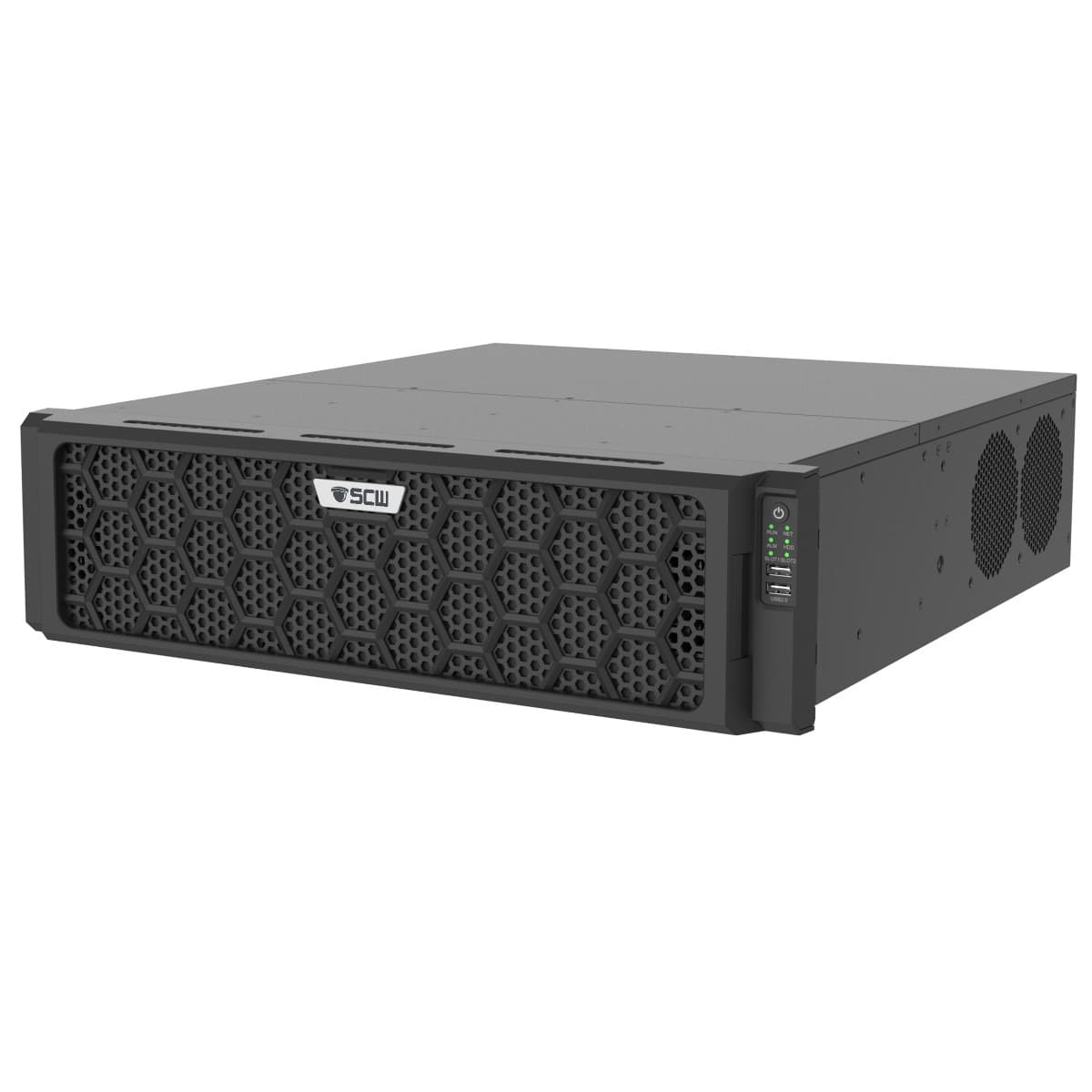
The IMP128-V3 is a mission-critical NVR engineered for high-stakes environments, offering robust support for up to 128 IP cameras. Built for maximum reliability in enterprise facilities, it features a flexible architecture that can be configured with enterprise-grade redundancies—such as optional dual PSUs and hot-spare capabilities—to ensure continuous operation. Its design prioritizes data integrity and ease of maintenance through a front-accessible, hot-swappable drive bay with full RAID support, providing the fail-safe storage necessary for the most demanding security applications. The Imperial 128ch v3 NVR now supports TraceSearch, giving you the ability to find specific people or vehicles across your facility in seconds.
Recording
128 1080P cameras at 30 FPS
128 4MP cameras at 30 FPS
128 4K cameras at 30 FPS
768 Mbps incoming bitrate; 6 Mbps per channel
H.265 encoding
Software
VCA: TraceSearch Support
VCA: Motion Detection, Line Crossing, Face Detection, Intrusion Detection, People Counting, Vandalism Detection
Video Content Analytics (VCA) Search
VCA Event based Email Alerts
Remote Footage Download
1 Click Firmware Update
Hot Spare Compatible
h.265 Decoding
12 x 4K, 24 x 4MP, 48 x 1080p, 96 x 720, 128 x D1
Smartphone Apps
Tablet Apps
Windows Apps
Mac Viewing Apps
Plugin Free Web Interface (Windows, Mac, Linux support)
Hardware
20 hot swappable hard drive bays on slides; supports RAID 0/1/5/6/10/50/60
Rack Mount Ears Built In - Tray/Slide Required
2 RJ-45 10M/100M/1000M adaptive Ethernet Interface
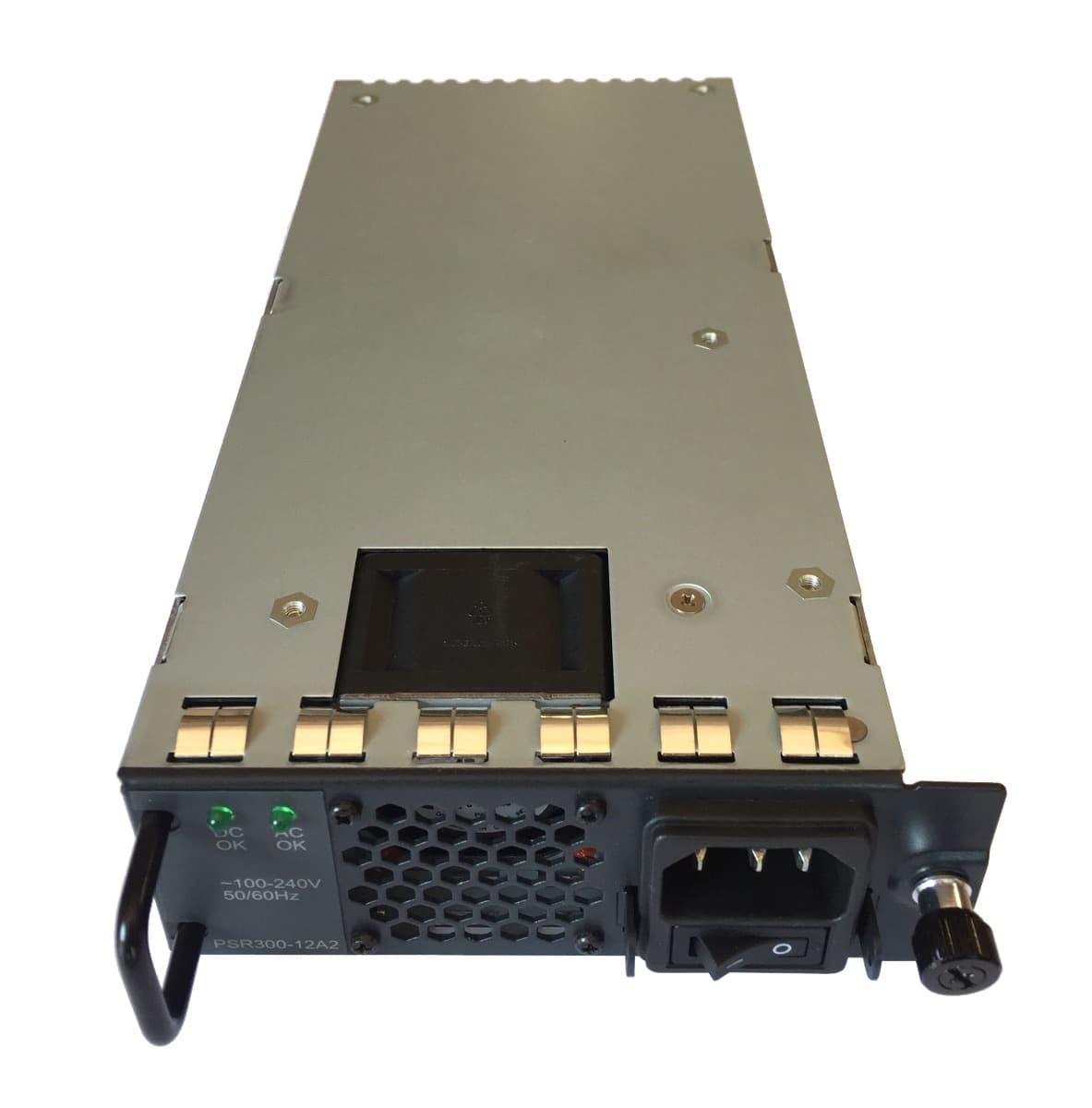
Redundant PSU Options
2x Independent 4K HDMI Out
1x 1080p VGA Monitor Out
Alarm Inputs and Outputs
Footage Download via USB
Hot Swap Hard Drives

Hot Swap: Change Hard Drives on the Fly
This NVR has Hot Swap, which means that it has the ability to remove a hard drive while it is running and install another one.
This is useful if you need to archive footage long-term, to create backups on external media, or to replace a failed drive without turning off your recording. Normal hard drive setups require you to power off the device, take off the case, and connect cables. This NVR has an eject button for removing the hard drive.

TraceSearch
This NVR Supports TraceSearch
Search for specific people or vehicles across your camera system!
With TraceSearch, finding someone across your facility is as easy as drawing a box. Just highlight a person or vehicle, and TraceSearch finds them across all your cameras. No more scrubbing through hours of footage for incident reports!
To learn more about TraceSearch check out our full TraceSearch Page
TraceSearch requires SCW cameras with built in AI person and vehicle detection setup and enabled.
To learn more about AI cameras visit our AI camera page
RAID (Redundant Array of Independent Disks)
This NVR has RAID.
RAID stands for Redundant Array of Independent Drives/Disks. RAID is a feature that turns a set of independent disks into a single array, in basic terms sharing data between the disks. RAID is primarily used as a form of gaining redundancy in the event of hard drive failures. There are many levels of RAID which dictate how much storage is available and how much hard drive redundancy protection you have. The most common RAID setup is RAID5, which allows a single drive to fail without losing footage. To learn more please visit our knowledge base article on RAID for surveillance.

Motion Detection, Alerts, and VCA
This Admiral NVR is a motion detection NVR. Feel free to read more about these features by clicking on the link, but here's a quick synopsis:
Alerts and Notifications:
Get email alerts with snapshot images of motion detection alerts or VCA events
Set a schedule to get emails only on the hours of the day you want.
Get Push Notifications to the SCW Go Application for Android and iPhone.
Automatically upload snapshot images via FTP
Recording:
Create your own customizable record schedule, including recording based on the day of the week, hours of the day, or even choose not to record for periods of time. Set constant recording during business hours and only motion during closed hours.
Motion, VCA, or 24/7 Recording - Record based on motion detection, VCA (video content analysis), or set the system to record 24/7. You can even record based on alarm inputs!
Motion Detection You Can Use in Court - If your system is set to record based on motion or VCA events, you can have a 60 second pre-event buffer to grab footage prior to the detection. You can also set the system to record up to 10 minutes after an incident is detected. Motion detection footage does not "time out" and stop recording mid scene. Motion Clips cannot be deleted by employees or other users.
Customizable Motion Detection Recording through VCA events:
VCA features vary by camera model, and can include:
Intrusion Detection - Monitor areas with precision, define zones, set time thresholds, and sensitivity.
Line Crossing - Create virtual lines to detect people or objects crossing doors, entrances, and more.
People Counting - Determine how many people are entering and exiting. Keep and review daily logs.
Audio Detection - Listens for Rises or falls in volume, and sudden loud noises.
Vandal Detection - Get alerts based on tampering detection, defocusing, or any dramatic scene changes.
Analysis:
Smart Search - Quickly review footage by filtering by motion detected in specific areas of the screen, by the face captured, by intrusion into certain areas, or by line crossing
People Counting Statistics - view traffic stats on your NVR or download a CSV file

Commercial Grade Features
This Imperial 128 Channel NVR is part of our commercial grade NVR line. Feel free to read more about these features and what commercial grade means to us, but here's a quick synopsis, as to how it relates to NVRs:
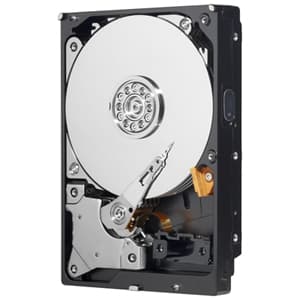
Surveillance Rated Hard Drive - NVRs need Surveillance Rated Hard Drives, as PC drives will overheat and fail.
Store 40% more data with H.265 video compression or switch back to H.264, if you need H.264 third-party integration support.
Passes vibration and surge testing up to 6,0000 volts - SCW NVRs can withstand vibration and surges up to 6,000 volts.
Cyber Security Protections - hackers can't easily see SCW cameras because they run on a special, isolated network created by the NVR. (For more information and a history of some of the larger cyber security attacks that have affected the industry, please see our guide on best practices for preventing IOT hacks.)
4K at 20 FPS Capable - Sufficient Bitrate (processing power) to Record Smooth Video
Easy 1 Click Firmware Update Process - Maintenance made easy.
No Recording Delay - Even when recording on motion.
ONVIF compliant - this NVR complies with the open industry standard ONVIF Profile S (video & audio streaming).
NAS backup - this NVR can extend its storage or mirror its contents onto a second location on a NAS (networked attached storage) device

3 or 5 Year Warranty
The Imperial 128 Channel NVR comes with a 3 year warranty. This warranty can also be upgraded to a 5 years. We recommend doing so for commercial clients.
SCW view station PC/Mac Software
Our Windows/Mac application is a full featured, easy to use, desktop video management software. You can combine multiple Admiral or Imperial systems, even at multiple locations and seamlessly view, control, and manage them as if they were one system. Just about anything you can do on your NVR you can do on our free SCW ViewStation.
SCW View Station is both Mac and PC compatible and is 100% free.

Browser Plugin
Although you can edit most settings and live stream a camera feed in any of the major browsers, to take full advantage of our software features you will need to install our browser plugin or Viewstation software.
Our browser plugin supports Chrome, Edge and Firefox on Windows.

SCWGo Smartphone and Tablet Apps
SCWGo is availible for both Android and iPhone/iPad.
You download these apps from your phone's app store. Just look for the SCWGo app.
VGA Out
This recording device has VGA Out.
You can plug this recording device into any VGA enabled monitor.
Q: Do I have to use a monitor?
A. No, you can use either a monitor or a TV, as explained below. But, you don't actually have to use either. You can manage nearly all your settings remotely via our PC or Mac apps or via the web-interface. Quite a few of our customers hide their recorders or put them in a safe with a cable pass-through, to prevent them from potential theft. This is a perfectly fine solution. You will probably want to plug a monitor in to make your initial setup easier.
Redundant NAS Support
NAS supports allows you to add an NFS compatible NAS to your NVR for redundant recording. This NAS will record in real time with your NVR to help limit the lost footage in the event of hard drive failure. SCW offers a 2 bay NAS and a 4 bay NAS option.
To learn more about setting up a NAS and functionality check out our guide.
HDMI Out
This recording device has HDMI Out.
You can plug this recording device into any HDMI enabled television. This means that you don't need to purchase a monitor unless you want to; you can connect a monitor with either HDMI or VGA cable.
Q: What if I plug in both the HDMI and VGA? Can I watch on two screens?
A. On the IMP128 HDMI #1 and VGA the video is mirrored,. On HDMI 2 it displays a separate view. This gives you 3 total screens, but two will display a mirror image (VGA/HDMI1). If you need more displays consider adding a decoding card, which will give you 6 additional independent displays (up to 16 cameras per display).
Please note that although our NVRs can all do 1080P and 4K output, all of them ship with 720P as the default. This is to prevent display issues for people who have older TVs or monitors that don't support 1080P or 4K. To change the output right click and then go to configuration.
American-Based Technical Support after the sale. For FREE. Forever.
Real review from Fransisco, who had this to say:
The most important part of a purchase like this is the support for technical assistance when there is a question or when there is a problem, and they always exceed expectations!
All of our equipment comes with Free Technical Support that is US based (Our Warehouse and Staff are located in Asheville, NC). We're happy to help you via chat, email, screenshare / remote support sessions, and phones. Our number is 866-414-2553 and we're open from 9-7 M-F (EST).


UL Listed and FCC Certified
This product is UL Listed and FCC certified
UL is a safety consulting and certification company headquartered in Northbrook, Illinois and provides safety-related certification, validation, testing, inspection, and auditing of SCW products.
The Federal Communications Commission has certified that the electromagnetic interference from the device is under limits approved by the FCC.
Not Sanctioned. On Oct 7th 2019, The US government placed sanctions on major providers in the industry for human rights abuses. Some or all Honeywell, Hikvision, Dahua, Lorex, Swann, LTS, Annke, Alibi, Laview, WBox, Interlogix, Flir, Bosch, ICRealtime, QSee, Panasonic, ADT, Indigo Vision, Montavue, and many more security products are included. SCW's Admiral and Imperial line equipment is not sanctioned.
These sanctions prevent these companies from using US technology or standards in future software or firmware releases and from using US patents in future hardware models. This means that they are going to face a situation where they either don't update firmware for cyber security concerns or lose ONVIF compliance or features when their firmware is updated. For these reasons, we recommend staying away from these brands.
For more information and full documentation, please see our article on NDAA and US Sanctions of Hikvision, Dahua, and their OEM brands.
The Imperial 128 Channel v3 NVR - IMP128-V3 Specs
System | IMP128-V3 |
|
Operating System
|
Embedded Linux
|
|
Processor Manufacturer
|
NDAA Compliant ARM
|
|
ONVIF Conformance
|
Profile S, Profile G, Profile T
|
|
Max Stream Connections Total
|
Up to 128
|
Video & Audio Inputs |
IMP128-V3
|
|
Video Compression
|
H.265 / H.264
|
|
Video Input
|
128 IP Channels
|
|
Two-way Audio Input
|
1-ch, RCA
|
Video /Audio Output |
IMP128-V3
|
|
HDMI & VGA Output
|
VGA:
1920x1080p/60Hz, 1920x1080p/50Hz, 1600x1200/60Hz, 1280x1024/60Hz, 1280x720/60Hz, 1024x768/60Hz HDMI1: 4K(3840x2160)/60Hz, 1920x1080p/60Hz, 1920x1080p/50Hz, 1600x1200/60Hz, 1280x1024/60Hz, 1280x720/60Hz, 1024x768/60H HDMI2: 4K(3840x2160)/60Hz, 1920x1080p/60Hz, 1920x1080p/50Hz, 1600x1200/60Hz, 1280x1024/60Hz, 1280x720/60Hz, 1024x768/60H |
|
8K Support
|
HDMI1 can support 8K 30hz, reduces bitrate to 512Mbps Incoming and 640Mbps outgoing
|
|
Encoding Resolution
|
32MP/16MP/12MP/8MP/6MP/5MP/4MP/3MP/1080p/960p/720p/D1/2CIF/CIF
|
|
Video Bit Rate
|
32 Kbps ~ 16,384 Kbps, or user defined (Max. 16,384 Kbps)
|
|
Total Processor Bitrate
|
768Mbps incoming / 768Mbps outgoing
|
|
NAS Support
|
Supports NFS NAS and Redundant Recording
|
|
Audio Output
|
1-ch, RCA
|
|
Playback Speed
|
Up to 128x (From Local Display); up to 16x from webview (depends on your internet upload and download speed)
|
|
h.265 Decoding Capability
|
8 x 12MP@30, 12 x 4K@30, 19 x 5MP@30, 48 x 1080p@30, 96 x 720p@30, 128 x D1
|
|
h.264 Decoding Capability
|
6 x 12MP@30, 9 x 4K@30, 14 x 5MP@30, 36 x 1080p@30, 72 x 720p@30, 128 x D1
|
Hard Disk |
IMP128-V3
|
|
Hard Drive
|
20 SATA Interfaces - Hot swappable on rails. 16 in the front, 4 in back.
|
|
Capacity
|
Up to 24TB capacity for each disk
Environmental temperature must be below 104°F/40°C for higher capacity drives.
|
|
miniSAS
|
1 miniSAS interface
|
|
eSATA
|
1 eSATA interface
|
|
RAID
|
RAID 0/1/5/6/10/50/60
|
External Interface |
IMP128-V3
|
|
Network Interface
|
2 RJ-45 10 / 100 / 1000 Mbps self-adaptive Ethernet interface
|
|
Serial Interface
|
1 x RS232, 1 x RS485
|
|
USB interface
|
Rear panel: 2 x USB3.0 - Front Panel 2x USB 2.0
|
|
Alarm Inputs / Outputs
|
16 in / 10 out
|
General |
IMP128-V3
|
|
| Power Supply |
100 ~ 240 V AC
|
|
|
Noise Level (dB)
|
~50dB at fan level
|
|
|
NVR Consumption
|
Power Consumption: ≤ 50 W( without HDD )
|
|
|
Working Temperature
|
14°F - 131°
|
|
|
Working Humidity
|
Humidity ≤ 95% RH(non-condensing)
|
|
|
Dimensions
|
19.2"× 19.0" ×5.1"
|
|
|
Rack Mounting
|
3U chassis, slides required and included
| |
|
Weight
|
22lbs (No HD)
|
Most popular downloads related to the Imperial 128ch NVR - IMP128-V3

Spec Sheet for The Imperial 128 Channel v3 NVR - IMP128-V3
A one page PDF listing this product's most important specs.

BenchTesting Guide
It is very, very important that you always bench test IP cameras before installing them. This will help you determine if you accidentally cut an ethernet cable during installation.
The Quickstart Guide
You should get one of these in your shipment when you order, but sometimes it is nice to have a digital version.

User Manual for The Admiral Line of NVRs
You should get one of these in your shipment when you order, but sometimes it is nice to have a digital version.

Please see our support portal for a full list of all technical bulletins, user manuals, and software.
NVR Mounting Options
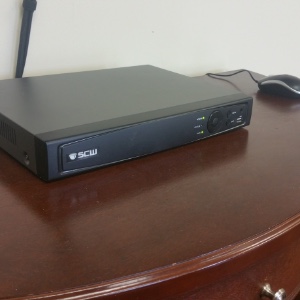
Shelf / Desk Mounting NVRs
This is what most people do: just put it on a shelf or desk. This makes it easy to connect to a TV/monitor and use the mouse (included) to control the NVR.
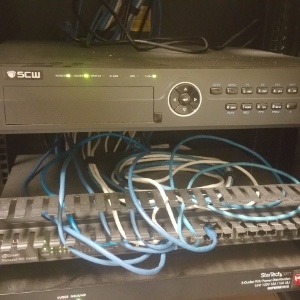
Rack Mounting NVRs
Companies often want to put the NVR in their server rack room. People who do this often to control the NVR only through our apps or web browser. Most of our NVRs (8 channels and up) are wide enough to be rack mounted in a standard 19" server rack. We carry two options: the 9U Rack Mount Cabinet and the 12U Rack Mount Cabinet.
Our smaller NVRs can use our Cantilever Rack Mount Shelf.
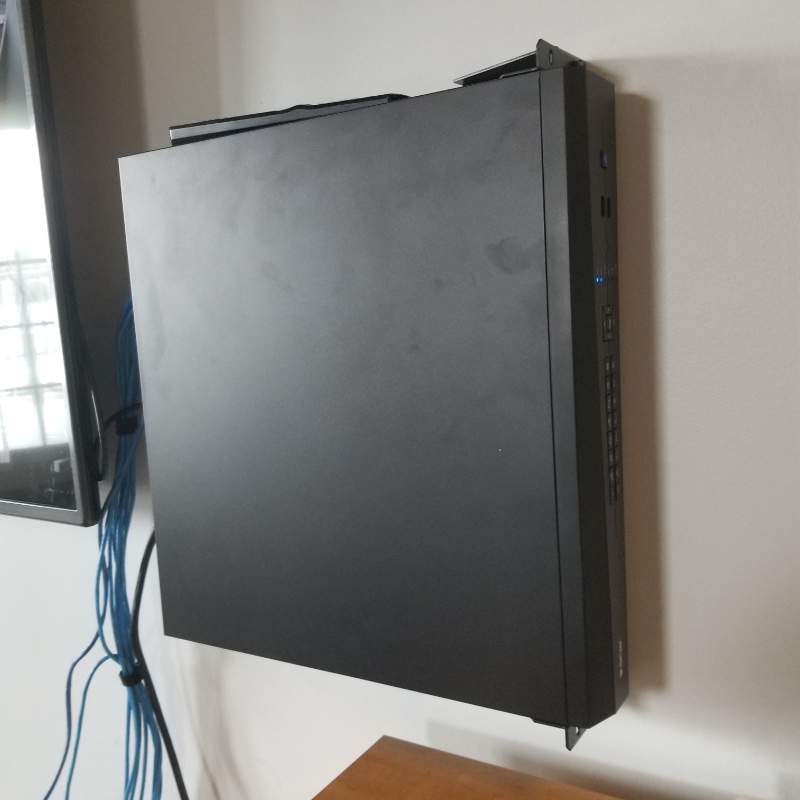
Wall Mounting NVRs
Many people choose to mount their NVR vertically on a wall near a TV. To do this for the Admiral 8, 16 (standard), or Corporal models, you will want to purchase a 1U Vertical Wall Mount Rack that matches the height of your NVR. You will also need to purchase the 1U Rack Mount Ears for these models.
The Admiral Pro 16, 32, and Imperial 32, 64 channel units have a height of 2U, and can be wall mounted with the 2U Vertical Wall Mount Rack. The 2U Rack Mount Ears are included with these models, but additional pairs may be purchased here.
The Imperial 128 channel is 3U. NVRs are heavy and you will want to make sure your wall can support the weight.
Our 4 channel NVRs cannot be wall rack mounted.
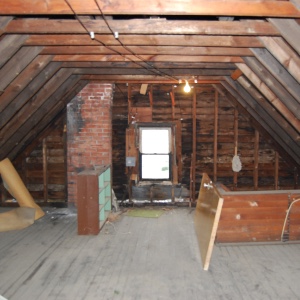
Mounting NVRs behind a Wall / in an Attic
People who are afraid of the theft of an NVR often place it behind a false wall or in an attic. People who do this control the NVR only through our apps or web browser. Be aware: Not all attics are insulated well enough to be within the temperature requirements of the NVR. Temperature range is listed on each NVR's technical specs tab.
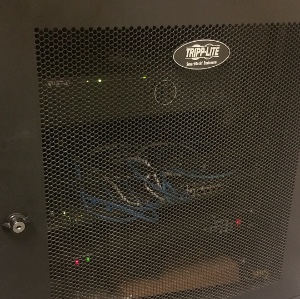
"NVR" Lock Boxes
There's a few companies advertising "NVR Lock Boxes," but any Server Rack or Computer Rack will do. Most Server Racks or Mounts have locks on them already. This picture is of a Tripp Lite Server Rack with Lock It houses a 32 channel NVR, two of our POE Switches, and a router, but there are tons of companies selling small server racks online.
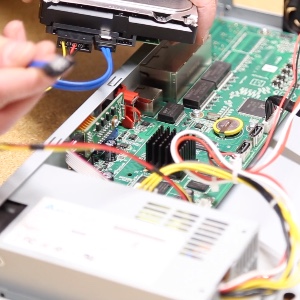
NVR hard drive installation
If you purchase both a hard drive(s) and recorder from us, we will happily install the hard drive for you. but here's a handy guide if you want to do it yourself.