
How to Wire our 24 Volt, Long Range, Low Light IP Bullet Camera - the Sharpshooter
Note: This guide applies to the Sharpshooter 2.0 v1 - the Sharpshooter 2.0 v2 is a PoE+ device and no longer requires any AC power. the Sharpshooter 2.0 v2 does not come with a power adapter or any accessories to power using AC.
Our Spotlight IP PTZ camera also requires 24 volt power because of its long range infrared lights, but its guide is slight different. Please make sure you are following the correct guide.
Step 1:
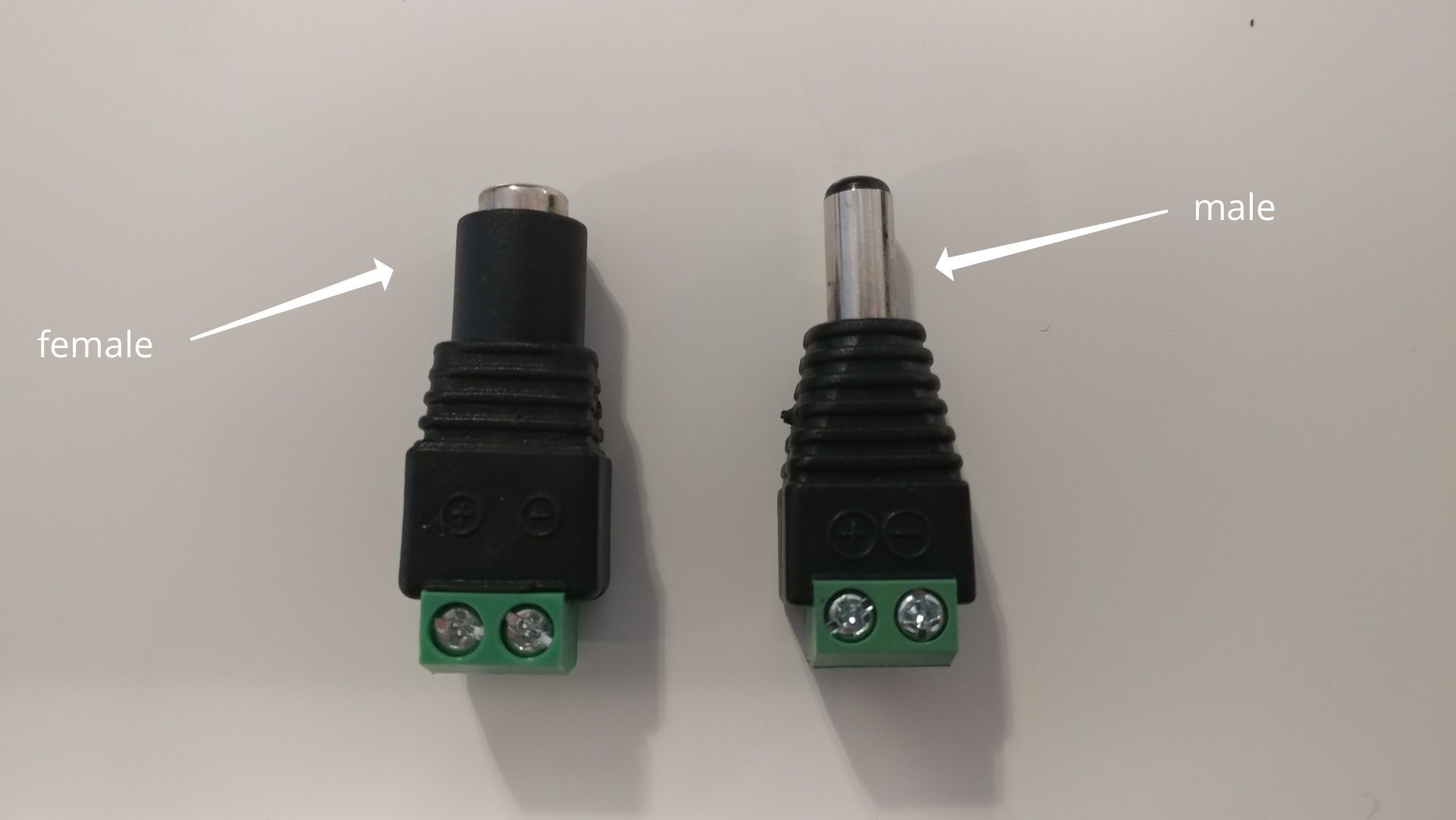
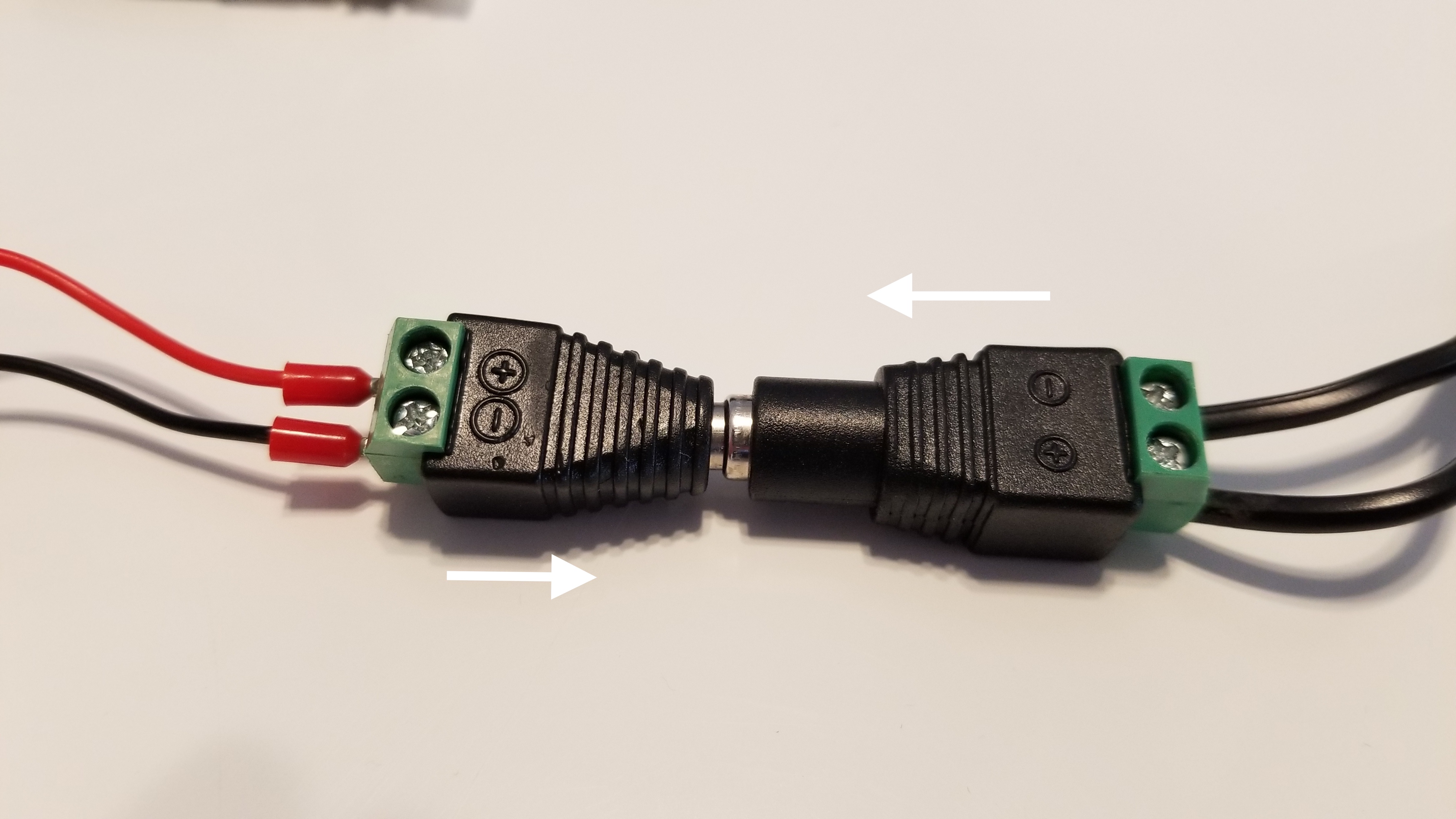
SCW includes a male and female dc power clip on power connector with the purchase of a Sharpshooter. These products should come in a separate bag in your shipment.
Step 2:
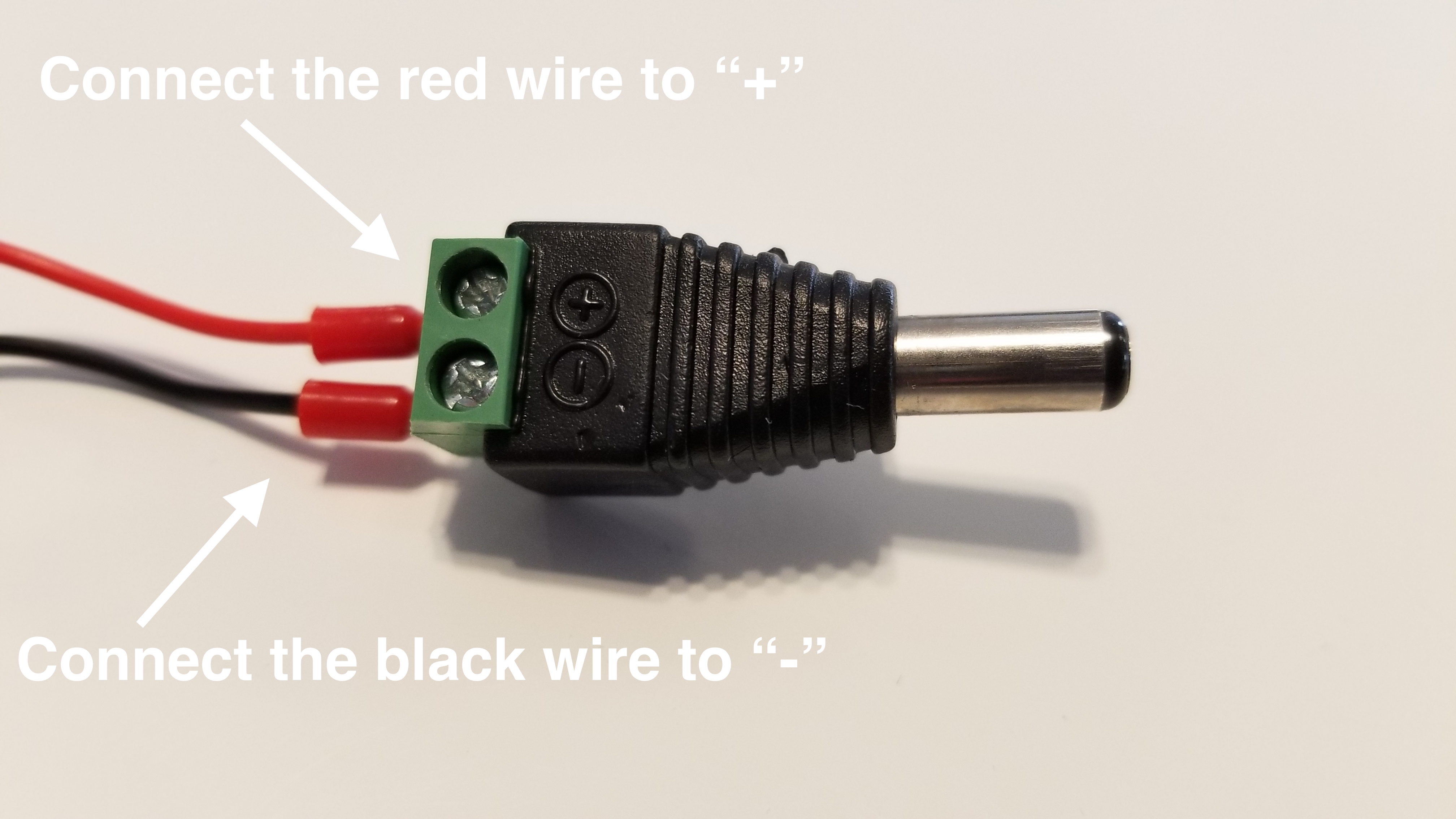
Connect the male clip on connector to the power cables coming off of the camera. Connect the Red wire to the "+" connector and the black wire to the "-" connector. Tighten down both screws to hold the cables in place. The white wire will not be used.
Step 3:
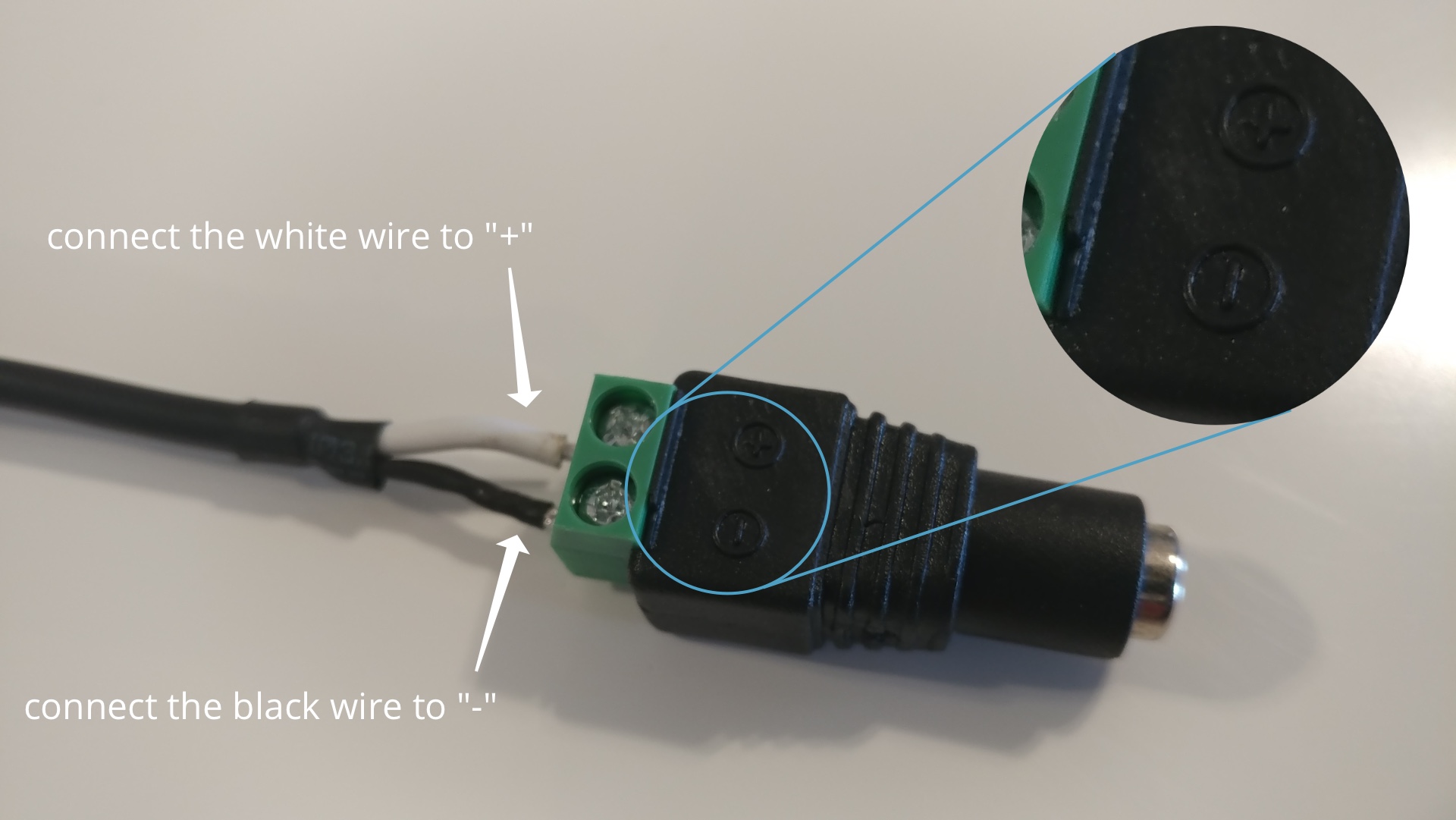
Next, grab your 24 volt power supply and the female connector. Connect the black wire to the "-" connector and the white wire to the "+" connector.
Step 4:
Connect the male and female clip on connectors by pushing them together.
This guide is applicable for: Sharpshooter 2.0 - 26BV2-XL.